
Argox OS-2130D Labels & Ribbons
DesktopOS-2130D Desktop (direct thermal)
The Argox OS-2130D is a desktop direct thermal printer. There is no ribbon to buy — the OS-2130D prints straight onto heat-sensitive direct thermal labels. Media loads as rolls up to 4.3" in diameter on cores of 0.5" / 1", and fanfold stacks are supported too. It prints up to 4.16" wide and takes media up to 4.33".
Argox OS-2130D media specifications
- Printing technology
- Direct thermal
- Maximum print width
- 4.16"
- Maximum media width
- 4.33"
- Roll core sizes
- 0.5" / 1"
- Maximum roll diameter
- 4.3"
- Fanfold media
- Yes
- Ribbon
- Not used — direct thermal only
Verified Specifications checked against the manufacturer’s published documentation.
Argox OS-2130D — Frequently Asked Questions
Does the Argox OS-2130D need a ribbon to print?
The Argox OS-2130D is direct thermal only. It applies heat directly to heat-sensitive label stock, so labels are the single consumable — there is no ribbon to buy or replace.
What ribbon does the Argox OS-2130D use?
None. The Argox OS-2130D is a direct thermal printer, so there is no ribbon — it images heat-sensitive labels directly. If print on your labels fades in heat or sunlight, that is the direct thermal stock behaving normally, not a printer fault.
What is the maximum label width for the Argox OS-2130D?
The Argox OS-2130D accepts media up to 4.33" wide, with a maximum print width of 4.16". Any narrower label will run as well, so long as the roll core and outside diameter also fit the media bay — width alone is not enough.
What size label rolls fit inside the Argox OS-2130D?
The Argox OS-2130D takes rolls on 0.5" / 1" cores, with a maximum roll diameter of 4.3". A roll on a larger core will not seat on the spindle, and one over the diameter limit will not let the cover close.
Can the Argox OS-2130D print 4" × 6" shipping labels?
Yes — 4" × 6" sits inside this printer's media width, and it prints them as direct thermal with no ribbon, which is the standard setup for courier and marketplace labels.
Can the Argox OS-2130D use fanfold labels?
Yes. The Argox OS-2130D accepts fan-folded stacks as well as rolls. A fanfold box holds far more labels than a roll of equivalent footprint, so it is the cheaper way to run high volume — the trade-off is bench space behind the printer.
Does the Argox OS-2130D take 3-inch core rolls?
No. The Argox OS-2130D takes 0.5" / 1" cores. A 3" core roll — the usual industrial format — will not fit its spindle, so check the core before ordering, not just the label size.
Where can I buy labels for the Argox OS-2130D in Canada?
Vantage Labels stocks blank thermal labels that fit the Argox OS-2130D, shipped from Canadian stock. Everything listed on this page has been checked against the printer's published media specifications — width, core, roll diameter and ribbon format — rather than matched on the printer's name.
Labels that fit the Argox OS-2130D
See all compatible products in the shop →
Labels 5 products
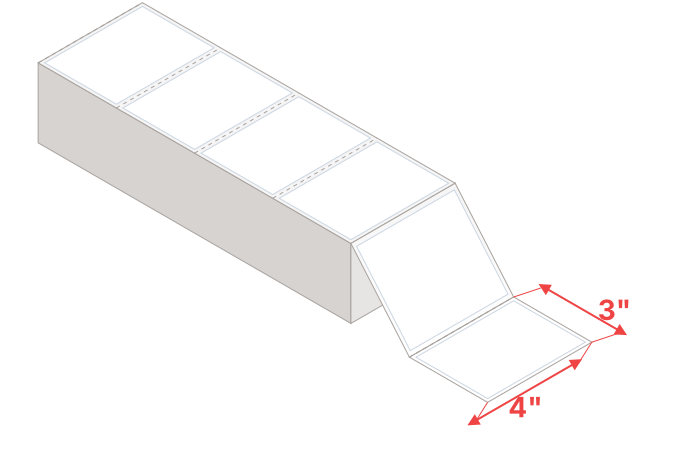 Fits4″ x 3″ Direct Thermal Fanfold (4 Labels / Fold, 4000 Labels / Case)$54 /case4" wide — within this printer's limits.
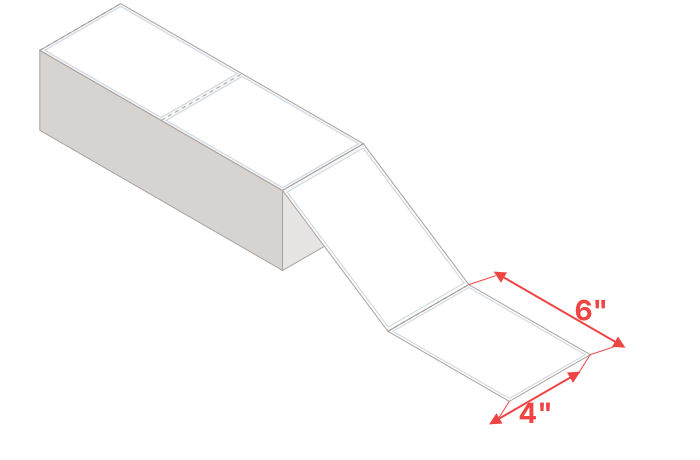 Fits4″ x 6″ Direct Thermal Fanfold (2 Labels / Fold, 5000 Labels / Case)$125 /case4" wide — within this printer's limits.
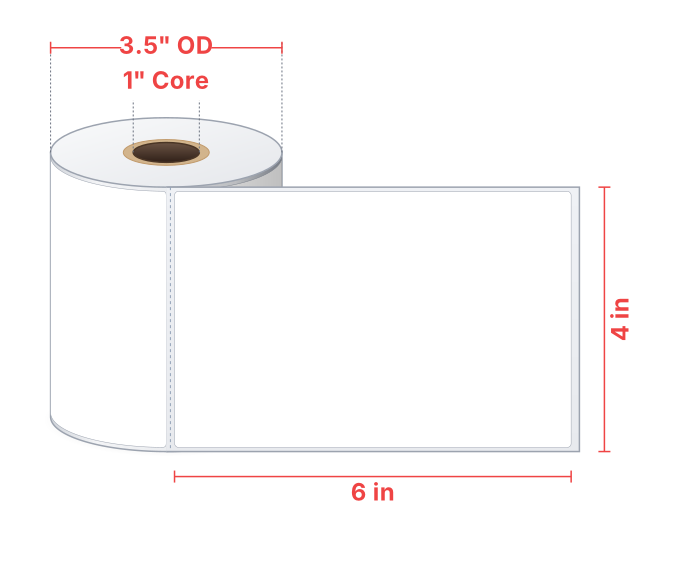 Fits4″ x 6″ Direct Thermal (250 Labels / Roll, 16 Rolls / Case)$150 /case4" wide, 1" core, 3.5" OD — within this printer's limits.
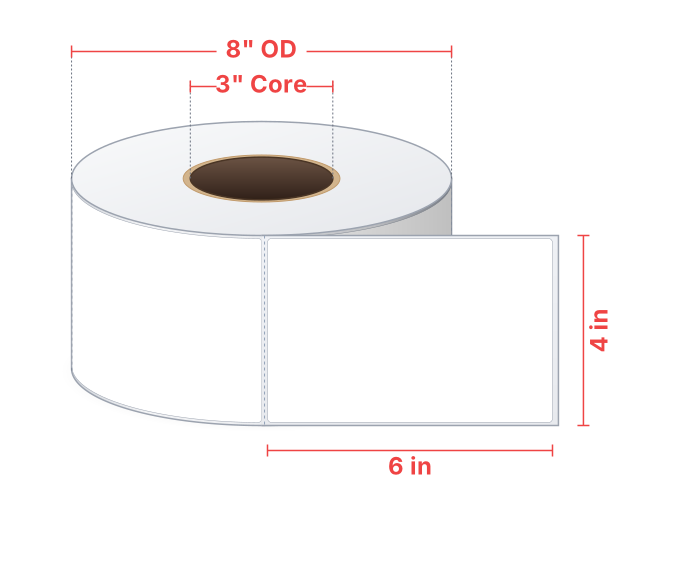 Likely fits4" x 6" Direct Thermal (3000 Labels / Roll)$150 /caseLikely fits — core size not recorded; roll diameter not recorded.
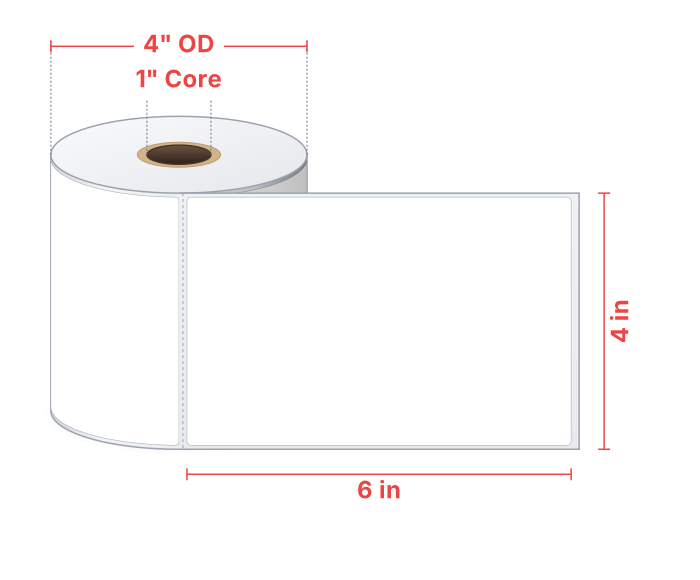 Likely fits4" x 6" Direct Thermal (105 Labels / Roll)$150 /caseLikely fits — roll diameter not recorded.
What won’t fit the Argox OS-2130D
We check every product against this printer’s published limits, so it’s worth knowing what we deliberately don’t recommend for it — these are the mistakes that cost a return.
This printer is direct thermal only — it cannot use thermal transfer labels.
For example: 4″ x 6″ Thermal Transfer (500 Labels / Roll); 4″ x 6.5″ Thermal Transfer Fanfold (2 Labels / Fold, 4000 Labels / Case); 4″ x 6.5″ Thermal Transfer (900 Labels / Roll, 4 Rolls / Case) and 19 more.
This is a direct thermal printer — it does not use ribbons.
For example: 4.33″ x 243ft Wax Ribbon (Eltron); 4.02″ x 1181ft Wax-Resin Ribbon (Datamax); 4.17″ x 1969ft Wax-Resin Ribbon (Tec) and 13 more.
Roll has a 0.75" core; this printer takes 0.5" / 1" cores.
For example: 4" x 6" Direct Thermal (120 Labels / Roll); 4″ x 3″ Direct Thermal (2000 Labels / Roll, 4 Rolls / Case); 4″ x 2″ Direct Thermal (3000 Labels / Roll, 4 Rolls / Case) and 1 more.
Roll is 4.5" OD; this printer holds up to 4.3".
For example: 4″ x 6″ Direct Thermal (500 Labels / Roll, 12 Rolls / Case).
Different printer? Look it up on the printer index. Unsure about a spec? Contact us — we’ll confirm before you order.